
Optimize your SVG for faster, cleaner plots
Upload any SVG and we reorder its paths so your pen stops criss-crossing the page. The drawing stays exactly the same, only the order and direction of the strokes change, so your plotter finishes faster with fewer skips and smudges.
- Cuts wasted pen-up travel between strokes
- Fewer skips, smudges, and snags
- Your shapes are untouched, only the path order changes
- Works with AxiDraw, NextDraw, EleksMaker, and more
Free to try, no account needed. Pay only when you keep a font.
How much travel is your file wasting?
Upload the SVG you plot and get your own before-and-after numbers. The shapes never change, only the order the pen visits them.
Why path order makes or breaks a plot
Most SVGs store their paths in whatever order the drawing tool created them, which has nothing to do with where they sit on the page. Your plotter obediently draws them in that order, so the pen finishes a stroke on the left, lifts, glides all the way to the right, draws one line, and glides back. On a dense drawing that pen-up wandering can take longer than the actual drawing, and every extra pass over wet ink is another chance to smudge.
The optimizer treats your drawing like a delivery route: it finds an order that visits every stroke with as little empty travel as possible, flipping a stroke's direction when starting from the other end is closer. On real files that regularly removes 80 to 90 percent of the pen-up distance. Colors stay grouped, so multi-pen plots do not ask you to swap pens more often.
Your artwork is never altered
Only the order and direction of strokes change. Every curve, corner, and coordinate stays exactly as you drew it, so the plotted result is pixel-for-pixel the same drawing, just produced faster and with fewer lift-offs. There is also an option to join strokes whose ends touch, so the pen stays down through connected line work instead of lifting mid-line.
A good last step for every plot
Whatever made your SVG, this is a sensible final pass before you plot it: line art from the image to SVG converter, text set in a single-line plotter font, generative art from code, or a file a friend sent you. The preview shows the before-and-after travel so you can see what you saved before downloading.
Faster plots, fewer mistakes
Reorder the strokes in any SVG so your pen stops criss-crossing the page.
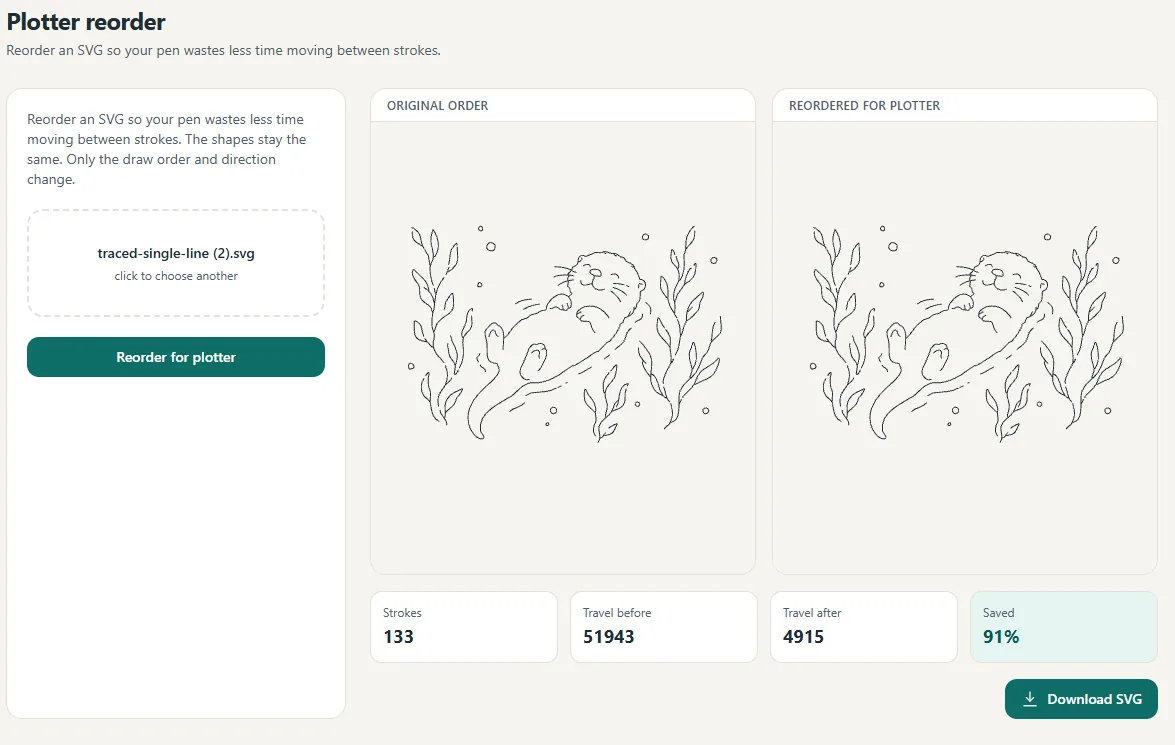
Pen-up travel dropped 91% here, with the strokes untouched.
Less travel
The pen takes the shortest path.
Fewer mistakes
Fewer skips, smudges and snags.
Same shapes
Only the order changes, not the art.
Questions, answered
Will this change how my drawing looks?
No. The shapes are preserved exactly. We only change the order the strokes are drawn in, and sometimes the direction, to shorten the distance the pen travels with its tip up.
How much faster is it?
It depends on the file, but reordering often cuts pen-up travel dramatically. In our own tests we have seen wasted travel drop by around 90 percent on busy line art.
Can it join lines that touch?
Yes. An optional "join lines that touch" pass merges strokes whose ends meet, so the pen stays down through connected line work instead of lifting between segments.
What about multi-color files?
Strokes stay grouped by color, so a multi-pen plot still asks for each pen once instead of bouncing between colors.
Which plotters does it work with?
Any plotter that draws from an SVG, including AxiDraw, NextDraw, EleksMaker, and most hobby CNC pen setups.
Is the preview free?
Yes, you can preview the reordered result for free. A clean, downloadable file is part of Pro.
Related tools and guides
Ready to make something?
Draw it, preview it, and keep it when you love it. Pro adds unlimited fonts, the full ready-made shelf, and clean SVG exports.
No credit card needed to start.