
Single line fonts for pen plotters
Pen plotters draw with a real pen, so they want single-line fonts where each letter is one continuous stroke. Make your own handwriting into a plotter font, or convert any font you have into a single-stroke version for AxiDraw, NextDraw, EleksMaker, and other hobby plotters.
- Single-stroke letters the pen draws in one pass
- Turn your own handwriting into a plotter font
- Convert any OTF or TTF to single line
- Built for AxiDraw, NextDraw, iDraw, and EleksMaker
Free to try, no account needed. Pay only when you keep a font. Prefer a ready-made font? Download one free.
Your handwriting, as a font your plotter can draw
Draw your letters on screen, nothing to print or scan. You get a normal font for typing and a single-line one that your plotter writes in one clean stroke, the way you do.
- Draw with a mouse, a tablet, or your finger on a phone
- Two fonts back: a standard one, plus the single-line version for the pen
- Free to draw and preview, pay only when you keep it
See your name in your handwriting
Nothing leaves this pageType a short word, then draw just those letters. It becomes type instantly.
Have a font you already love? Convert it
Upload any OTF or TTF and see every letter redrawn as one pen path, spacing intact. Free to try, no account needed.
See what single-line means
The same font twice: as normal type, and as the one clean line a pen or engraver actually follows. Type your own words.
Convert your own font
Upload any OTF or TTF, watch every letter become one clean stroke, and type your own words with it. Free, no account needed. The installable OTF is Pro.
See your words as your plotter draws them
Real single-line fonts made with this tool: one pen pass per letter.
Loading fonts…
Beyond Hershey text: plotter lettering with personality
Most plotter people meet single-line text through Hershey fonts, the vector letterforms from the 1960s built into Inkscape's Hershey Text extension. They work, but there are only a handful, they all have the same technical-pen look, and they live inside one tool. A single-line OTF font is the modern version of the same idea: real single-stroke letterforms packaged as a normal font file, so you can set text in Inkscape, Illustrator, or anything else, in a voice that is actually yours.
Because each glyph is one continuous path, the pen writes each letter the way a hand does: down the stroke, not around it. No double-traced outlines, no filled shapes rastered line by line, and plots that finish in a fraction of the time outline text takes.
A plotter workflow that stays simple
Install the font, set your text in Inkscape (or any vector app), convert the text object to paths, and send it to the machine as usual with AxiDraw's or NextDraw's plugin. The strokes are open paths, so the plotter driver treats them like any other line work. For dense layouts, finish with the plotter SVG optimizer so the pen visits the words in a sensible order instead of leaping around the page.
Your handwriting, or any font you love
The most personal plots use your own hand: draw your alphabet once in the handwriting font generator and the plotter writes anything you type, in your handwriting, at any size. Already have a font whose look you want? The font to single line converter traces its centerlines into a plotter-ready version while keeping the original spacing. Either way it is free to draw, convert and preview, and you pay only to keep the font. Not fussy? The ready-made fonts are free too, a handful with no account at all and the rest with a free one.
Turn your handwriting into a font
Write a few short lines and we split them into letters, or draw letter by letter. Either way you get two fonts: a standard one for type and a single-line one for your plotter.
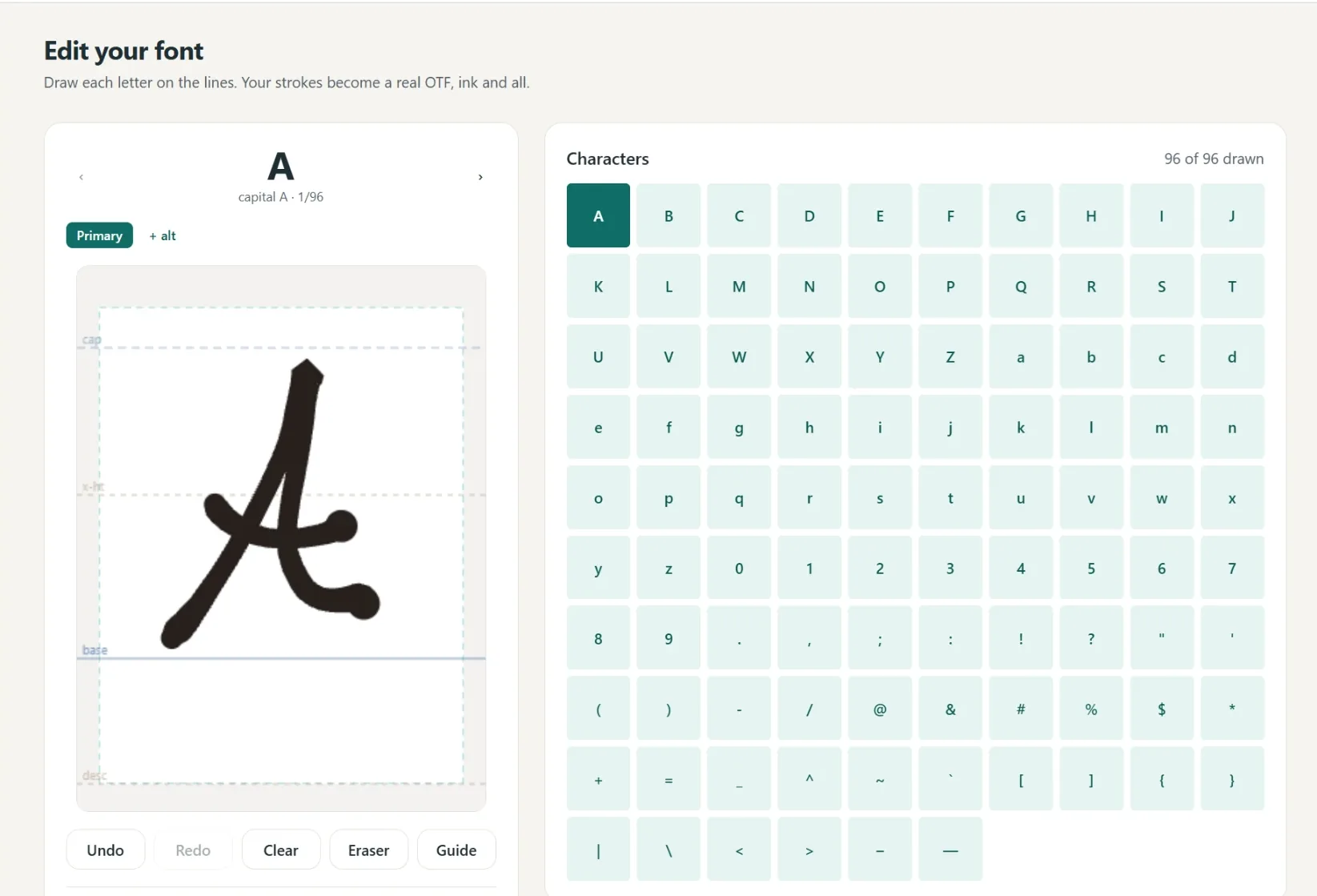
A font in your own hand
- Write full lines, we split out every letter
- Caps, lowercase, numbers and punctuation
- Fine or Bold pen weight, previewed live
- Cursive alternates connect automatically
- 1
Write it
A few short lines, or letter by letter.
- 2
We build it
Strokes become a real font.
- 3
Preview
Test words and pen weight.
- 4
Borders
Auto-spaced, tweak by hand.
- 5
Download
Standard and single-line.
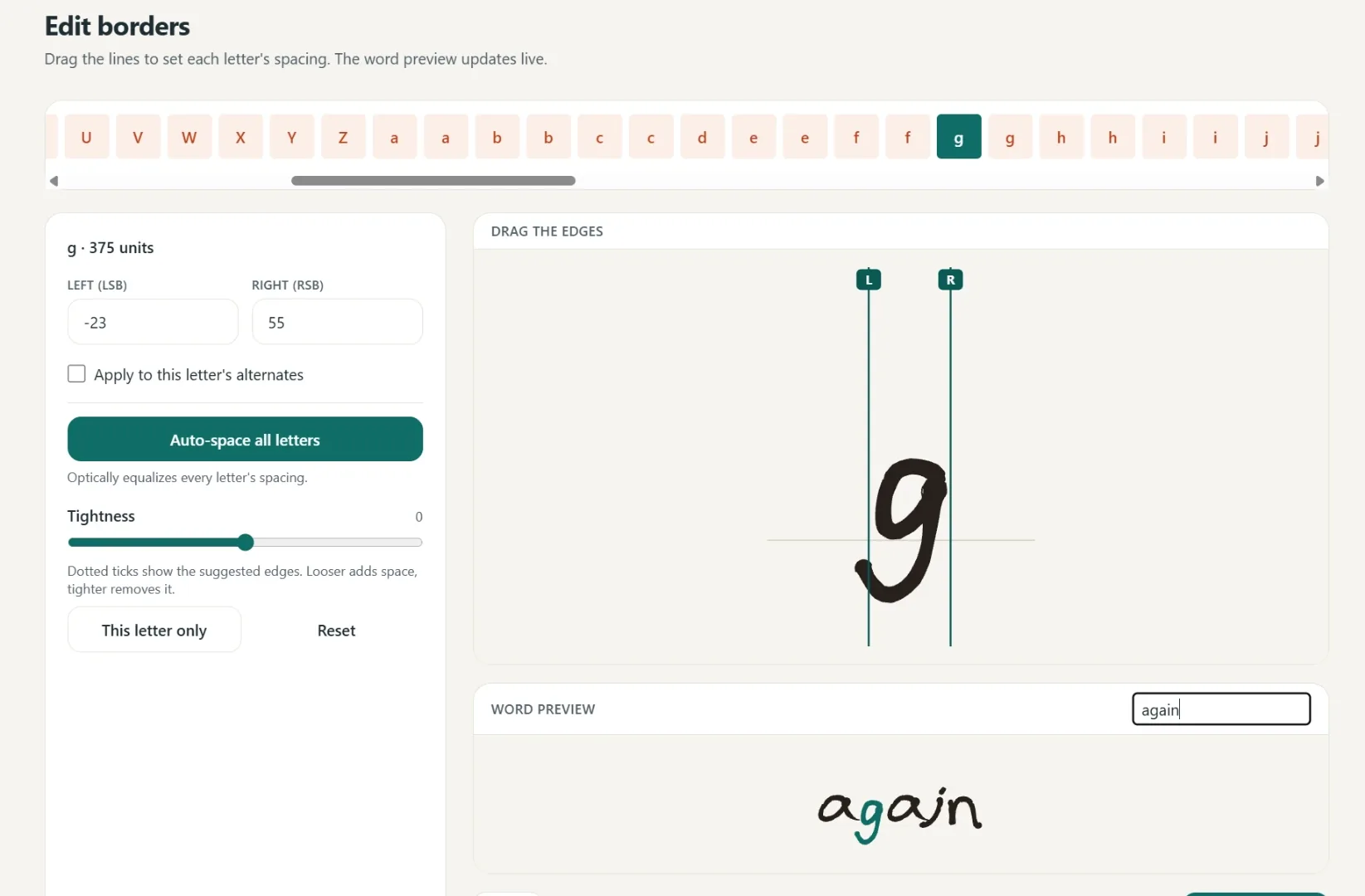
Spacing that starts smart
Borders are placed automatically, then you fine-tune any letter by hand.
One click equalizes every letter.
Drag the borders until it looks right.
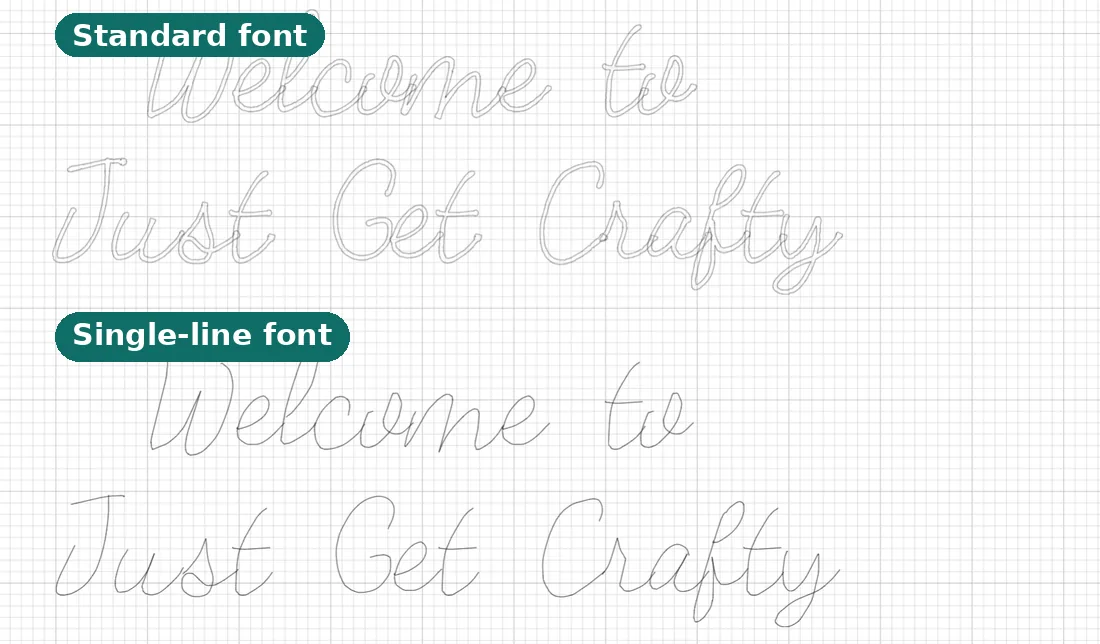
Two files, ready to make
Use it in Cricut or any app that takes fonts.
- Standard font
Full-outline, for everyday text.
- Single-line font
Plotter strokes, one clean pass.
- Yours to keep
Install it like any other font.
Questions, answered
What font do I need for a pen plotter?
A single-line (also called single-stroke) font. Normal fonts are filled outlines, so the pen traces around each letter and leaves it hollow. A single-line font has one path the pen follows, so letters look handwritten.
How is this different from Hershey text?
Hershey fonts are the classic single-line letterforms built into Inkscape's extension, but there are only a few and they all share one technical look. Here you get a real OTF single-line font, in your own handwriting or converted from any font, usable in any app.
How do I use it in Inkscape?
Install the font, set your text with the normal text tool, convert the text object to paths, and plot as usual. The strokes are open paths, so AxiDraw and NextDraw plugins treat them like any other line work.
Does this work with AxiDraw and NextDraw?
Yes. You download a single-line font or SVG, and any plotter that draws from a path, including AxiDraw, NextDraw, iDraw, and EleksMaker, will draw it cleanly.
Can I make one from my own handwriting?
Yes. Draw your alphabet in the browser and the generator builds both a normal font and the single-line plotter version automatically. Nothing to print or scan.
Can I also reduce wasted pen travel?
Yes. Our plotter-optimize tool reorders the strokes in any SVG so the pen stops criss-crossing the page, which makes plots faster and cleaner.
Related tools and guides
Any OTF or TTF becomes a single-stroke plotter font.
Cut the pen-up travel before you hit plot.
The plain-English explanation, with pictures.
The same fonts driving lasers and CNC instead.
Trace your own art into single-stroke lines to plot.
Ready to make something?
Draw it, preview it, and keep it when you love it. Pro adds unlimited fonts, the full ready-made shelf, and clean SVG exports.
No credit card needed to start.