
Single line fonts for your foil quill
A foil quill draws with a heated tip, so it needs a single-line font: one where each letter is a single stroke, not a filled outline. Make your own single-line font from your handwriting, or convert a font you already own, then foil it onto cards, tags, and gifts.
- True single-stroke letters that foil in one smooth pass
- Make one from your handwriting, or convert any existing font
- Works with Cricut foil quill, Heatpen, and pen plotters
- Ready-made fonts are free to download, no account
Free to try, no account needed. Pay only when you keep a font. Prefer a ready-made font? Download one free.
Your handwriting, foiled in one smooth stroke
Draw your letters on screen, nothing to print or scan. You get a normal font for typing and a single-line one that your foil quill writes in one clean stroke, the way you do.
- Draw with a mouse, a tablet, or your finger on a phone
- Two fonts back: a standard one, plus the single-line version for the pen
- Free to draw and preview, pay only when you keep it
See your name in your handwriting
Nothing leaves this pageType a short word, then draw just those letters. It becomes type instantly.
Have a font you already love? Convert it
Upload any OTF or TTF and see every letter redrawn as one stroke, so the heated tip visits each line once. Free to try, no account needed.
See what single-line means
The same font twice: as normal type, and as the one clean line a pen or engraver actually follows. Type your own words.
Convert your own font
Upload any OTF or TTF, watch every letter become one clean stroke, and type your own words with it. Free, no account needed. The installable OTF is Pro.
See your words as a foil quill draws them
Single-line fonts: one heated stroke per letter, so the foil stays crisp with nothing to re-trace.
Loading fonts…
Why foil quills are pickier than pens
A foil quill is not drawing ink; it is pressing heat through foil so the foil bonds to the paper underneath. That changes the rules. A regular pen tracing a hollow outline font just looks odd. A heated tip tracing that same outline passes over nearby foil twice, and wherever lines sit close together the heat bleeds, the foil bonds in blobs, and fine details fill in. Single-line fonts fix this because each letter is exactly one stroke: the tip visits each part of the letter once, the heat stays even, and the foil comes out crisp.
That is also why foiled single-line lettering looks so much like hand lettering with a gold pen: the quill is literally moving the way a hand writes.
Getting a clean foil every time
Give the quill a few minutes to fully heat before the first letter, tape the foil shiny-side up so it cannot shift mid-word, and slow the machine down for glossy card stock. Bigger letters foil more reliably than tiny ones, because heat needs a moment to transfer; if a small word comes out patchy, try it 20 percent larger before changing anything else. Our guide to the best fonts for foil quill goes deeper on which letter shapes foil well.
Two ways to get a foil-ready font
Make one from scratch with the handwriting font generator (you draw, it builds the single-line version automatically), or upload a font you already love to the font to single line converter. Both give you a real installable font, so Design Space treats it like any other and your foil projects are just typing.
What foils cleanly, and what fights the heat
A heated tip can only lay foil along a line, so simple single-stroke shapes win. Anything built to be filled or cut struggles.
| Foils cleanly | Struggles in foil |
|---|---|
| Monoline script, one even stroke wide | Thick display fonts, no way to fill the body |
| Clean single-line print | High-contrast serifs, the hairlines barely register |
| Your own handwriting, converted | Fonts full of filled swashes and flourishes |
Turn your handwriting into a font
Write a few short lines and we split them into letters, or draw letter by letter. Either way you get two fonts: a standard one for type and a single-line one for your plotter.
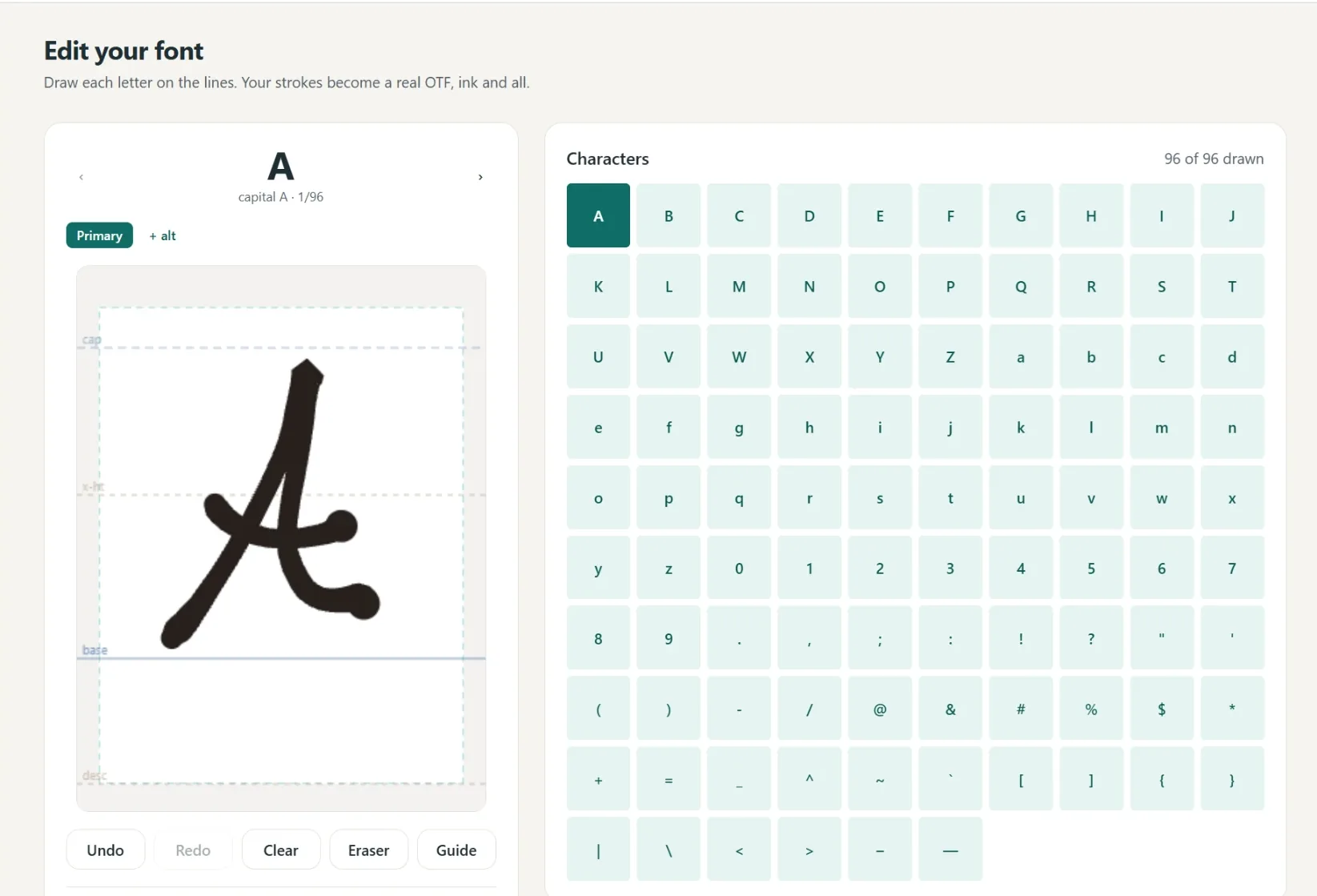
A font in your own hand
- Write full lines, we split out every letter
- Caps, lowercase, numbers and punctuation
- Fine or Bold pen weight, previewed live
- Cursive alternates connect automatically
- 1
Write it
A few short lines, or letter by letter.
- 2
We build it
Strokes become a real font.
- 3
Preview
Test words and pen weight.
- 4
Borders
Auto-spaced, tweak by hand.
- 5
Download
Standard and single-line.
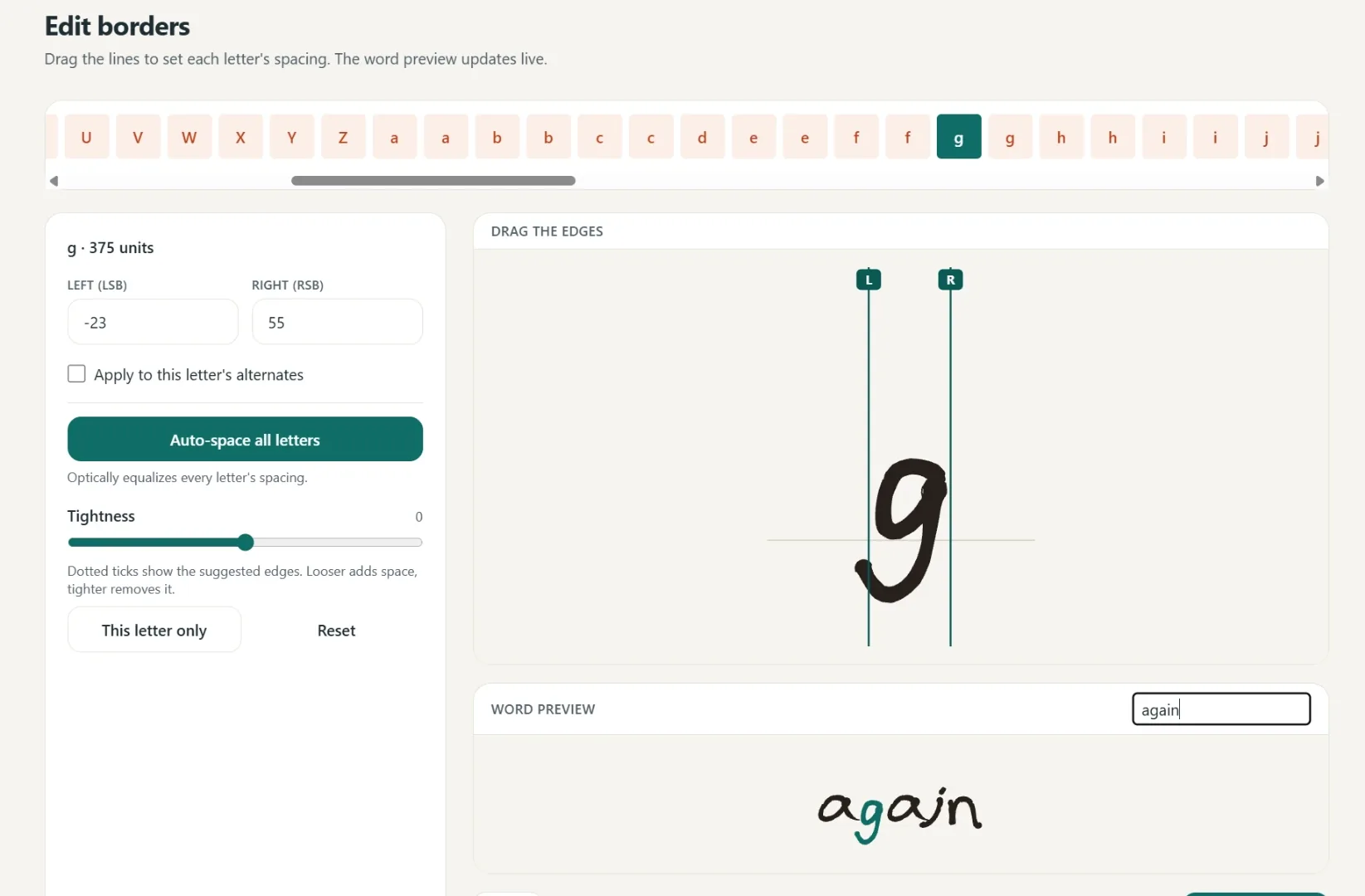
Spacing that starts smart
Borders are placed automatically, then you fine-tune any letter by hand.
One click equalizes every letter.
Drag the borders until it looks right.
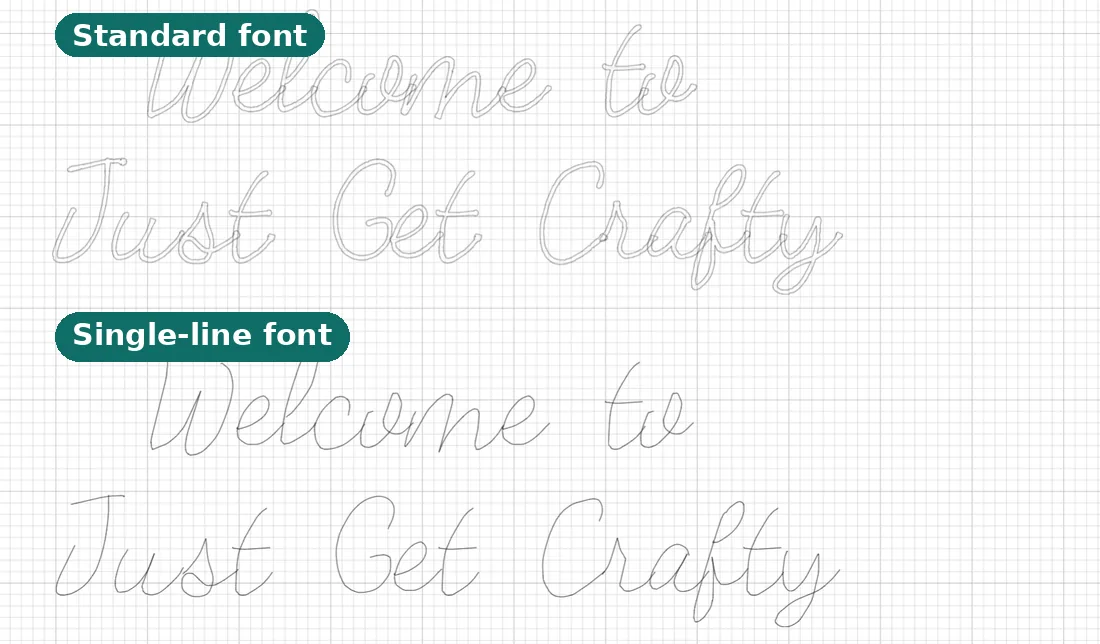
Two files, ready to make
Use it in Cricut or any app that takes fonts.
- Standard font
Full-outline, for everyday text.
- Single-line font
Plotter strokes, one clean pass.
- Yours to keep
Install it like any other font.
Questions, answered
Why do foil quills need a special font?
A foil quill follows a path with its heated tip. A normal font is a filled shape, so the tip traces the outline and leaves a hollow letter. A single-line font has one centerline to follow, so the letter foils as a clean single stroke.
Can I use any font I like?
Yes. Upload any OTF or TTF and we convert it to a single-line version. Clean script and monoline fonts foil best.
Can I foil my own handwriting?
Yes. Draw your letters in the handwriting font generator and you get a single-line version of your own hand, ready for the quill. Foiled gift tags in your actual handwriting are a favorite use.
Will it work in Cricut Design Space?
Yes. The single-line file works with the Cricut foil quill and pen, and with pen plotters, drawing each letter in one pass.
Do I need a special Design Space setting?
Set the text's Operation to Draw / Pen (or the foil transfer setting for Cricut's foil tip) and attach it to your project, the same setup as pen writing. The font does the rest.
What size letters foil best?
Medium and large text foils most reliably, because the heated tip needs a moment to transfer. If a small word comes out patchy, try it about 20 percent larger before changing pens or foil.
Related tools and guides
Ready to make something?
Draw it, preview it, and keep it when you love it. Pro adds unlimited fonts, the full ready-made shelf, and clean SVG exports.
No credit card needed to start.