
Single line fonts for Cricut that actually write
A single line font is drawn as one thin stroke, so your Cricut pen or foil quill writes each letter in one pass instead of outlining a hollow bubble shape and filling it in. You have two ways to get one: make your own from your handwriting (or convert a font you have), or download a ready-made one free, no account needed.
- True single-stroke letters, no bubble outlines
- Works with the Cricut pen, foil quill, and pen plotters
- Ready-made fonts are free to download, no account
- Make your own free, from your handwriting or any font
Free to try, no account needed. Pay only when you keep a font. Prefer a ready-made font? Download one free.
Your handwriting, as a font your Cricut pen can write
Draw your letters on screen, nothing to print or scan. You get a normal font for typing and a single-line one that your Cricut pen writes in one clean stroke, the way you do.
- Draw with a mouse, a tablet, or your finger on a phone
- Two fonts back: a standard one, plus the single-line version for the pen
- Free to draw and preview, pay only when you keep it
See your name in your handwriting
Nothing leaves this pageType a short word, then draw just those letters. It becomes type instantly.
Have a font you already love? Convert it
Upload any OTF or TTF and see every letter redrawn as one stroke, the way the pen draws it. Free to try, no account needed.
See what single-line means
The same font twice: as normal type, and as the one clean line a pen or engraver actually follows. Type your own words.
Convert your own font
Upload any OTF or TTF, watch every letter become one clean stroke, and type your own words with it. Free, no account needed. The installable OTF is Pro.
See your words as your Cricut pen writes them
Real single-line fonts made with this tool: one clean stroke per letter, no bubbles to fill in.
Loading fonts…
Why your Cricut writes hollow bubble letters
Almost every font on your computer is an outline font: each letter is a closed shape that gets filled in on screen. That is perfect for cutting, because the blade follows the shape's edge. But load a pen instead of a blade and Design Space still follows that same edge, so the pen draws the outline of each letter and leaves the middle empty. That is the classic bubble-letter surprise.
A true single line font fixes it at the source. Each letter is stored as one thin stroke, the same path your hand would take, so there is no outline to trace and no middle to leave empty. The pen just writes. That is also why the results look hand-lettered: the pen moves the way a person writes, in one continuous pass per stroke.
If your project is stuck mid-bubble right now, the quick fix is in our guide Why is my Cricut writing in bubble letters?
How to use a single line font in Cricut Design Space
- Install the font on your computer (double-click the OTF file, then Install).
- Fully close and reopen Design Space so it picks up the new font.
- Add a Text box, type your words, and choose your single line font in the font list.
- With the text selected, change the Operation from Basic Cut to Draw / Pen.
- Select the text and its backing shape (if any) and click Attach, so the writing stays where you placed it.
- Load the pen in clamp A when the mat prompt asks, and let it write.
The full walkthrough with screenshots and the mistakes to avoid is in How to use single line fonts in Cricut Design Space.
Three ways to get a single line font
Make one from your handwriting. Draw your letters right in the browser with the handwriting font generator and you get two fonts back: a normal one for typing and a single-line one for the pen. Nothing to print or scan.
Convert a font you already love. Upload any OTF or TTF to the font to single line converter and it traces each letter down to one clean centerline stroke, keeping the original spacing.
Download a ready-made one, free. Our free single line fonts page has real handwriting fonts you can download right now, no account needed, each in a normal and a single-line weight.
Single line vs writing vs cutting fonts
The three kinds of font behave very differently once a pen is loaded. Only the first one writes the way handwriting looks.
| Kind of font | What it really is | What the pen does |
|---|---|---|
| Single line font | Each letter is one thin stroke with no inside to fill | Writes each letter in one clean pass, like a person |
| "Writing" font (Cricut label) | A thin outline font Cricut tags for pens; still a closed shape | Draws a narrow outline; loops and doubles back on itself |
| Regular / cutting font | A filled outline shape, made to be cut from vinyl or paper | Traces the outline of every letter: hollow bubble letters |
Want the deeper explanation with pictures? Read Fonts that write, not cut.
Turn your handwriting into a font
Write a few short lines and we split them into letters, or draw letter by letter. Either way you get two fonts: a standard one for type and a single-line one for your plotter.
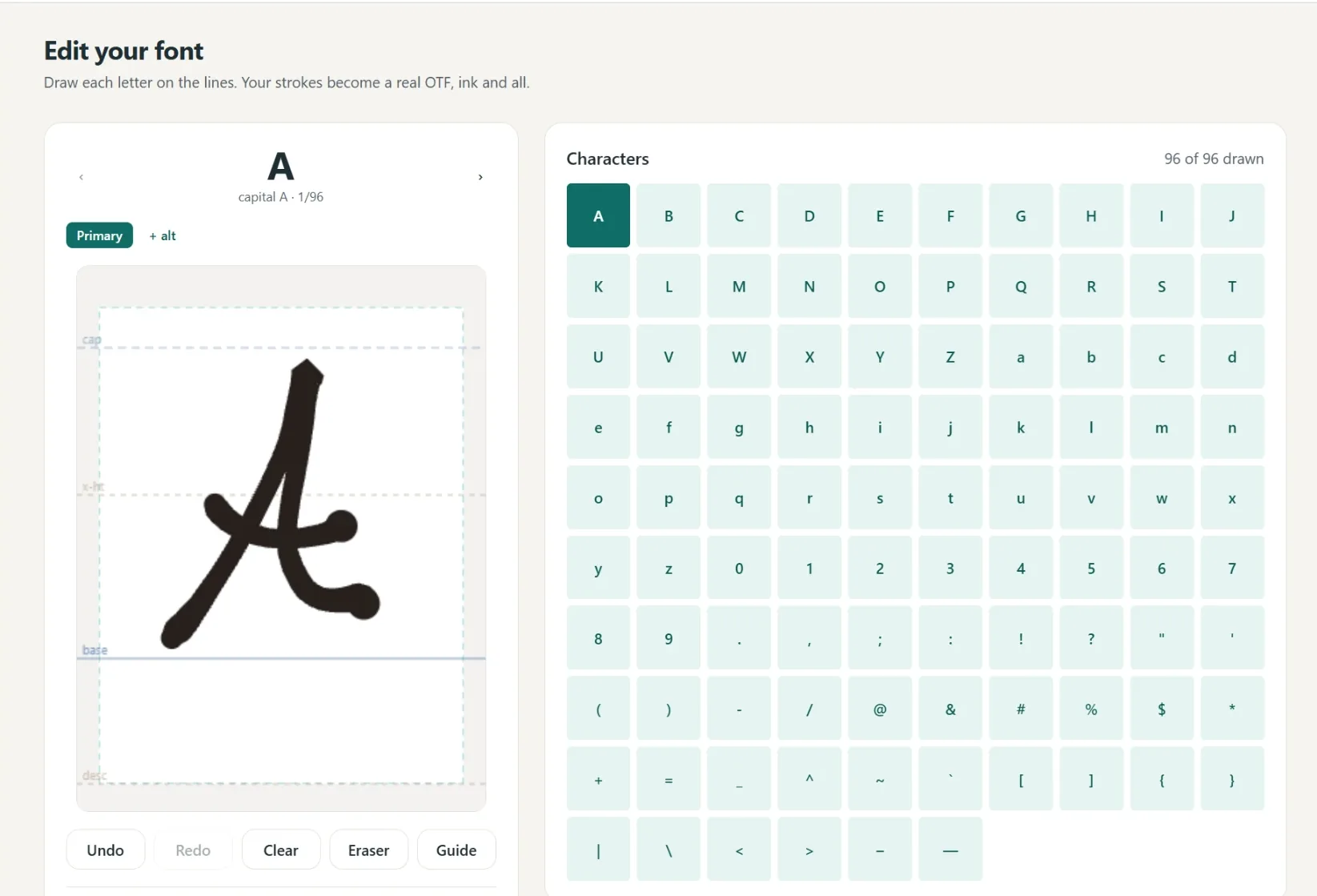
A font in your own hand
- Write full lines, we split out every letter
- Caps, lowercase, numbers and punctuation
- Fine or Bold pen weight, previewed live
- Cursive alternates connect automatically
- 1
Write it
A few short lines, or letter by letter.
- 2
We build it
Strokes become a real font.
- 3
Preview
Test words and pen weight.
- 4
Borders
Auto-spaced, tweak by hand.
- 5
Download
Standard and single-line.
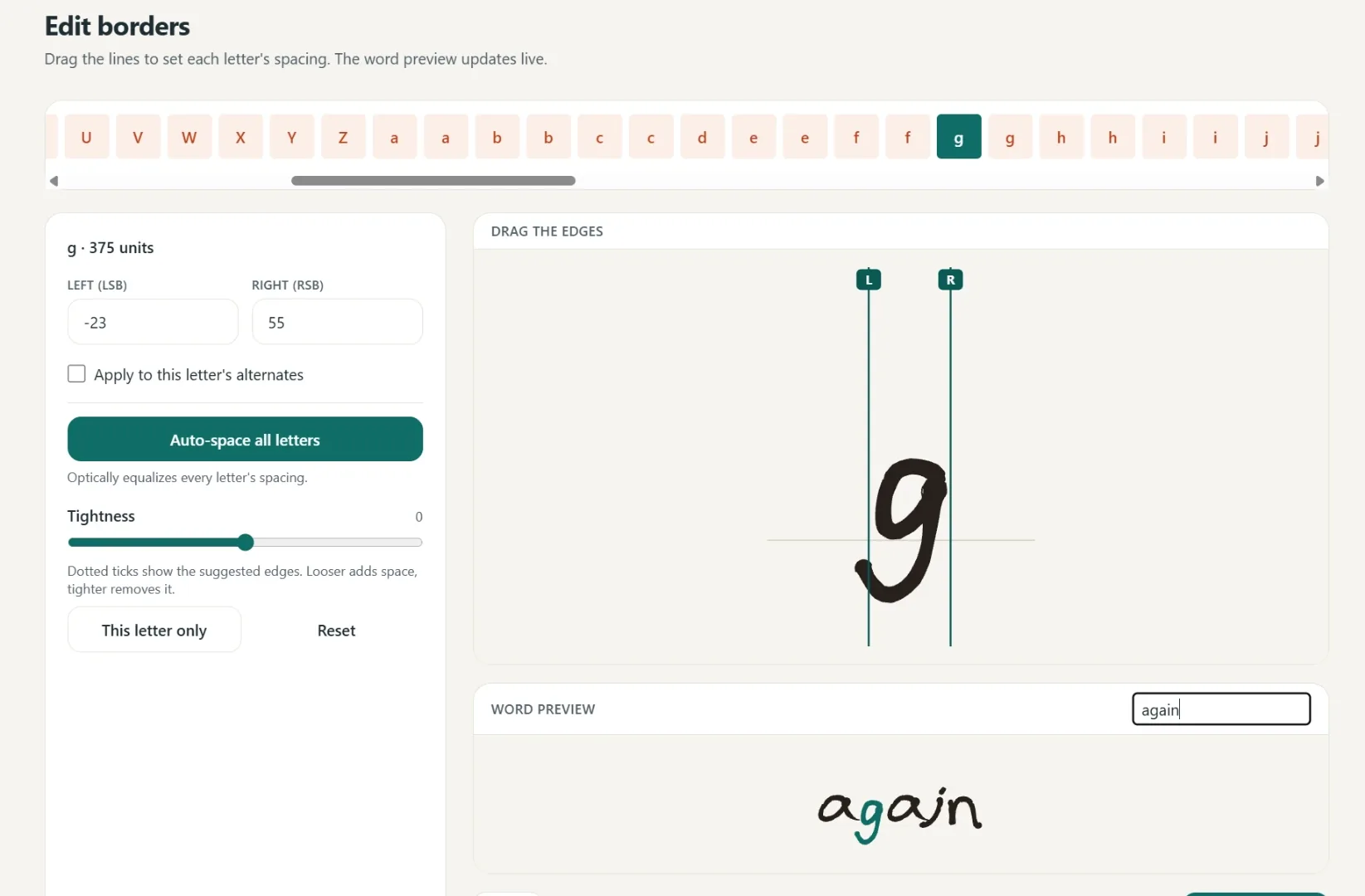
Spacing that starts smart
Borders are placed automatically, then you fine-tune any letter by hand.
One click equalizes every letter.
Drag the borders until it looks right.
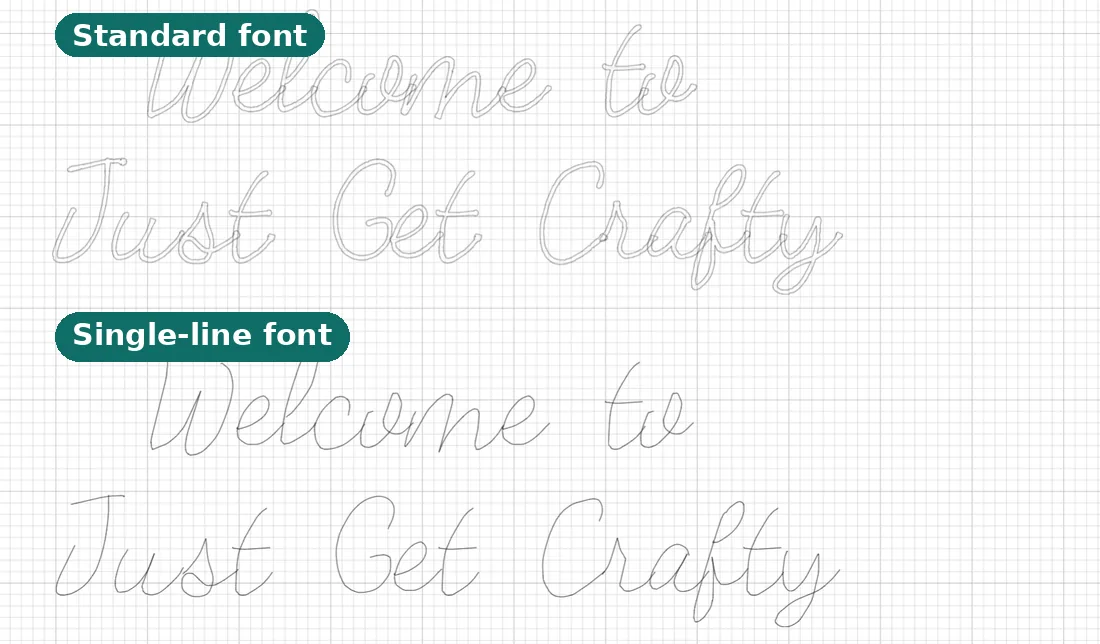
Two files, ready to make
Use it in Cricut or any app that takes fonts.
- Standard font
Full-outline, for everyday text.
- Single-line font
Plotter strokes, one clean pass.
- Yours to keep
Install it like any other font.
Questions, answered
What is a single line font?
It is a font whose letters are a single thin path rather than a filled outline. A pen or foil quill follows that one path, so the letter is written in a single stroke, just like handwriting, instead of being traced around the edge.
Why does my Cricut write letters as hollow bubbles?
Most normal fonts are outline fonts: the letter is a filled shape, so a pen traces its outline and leaves a hollow bubble. A single line font fixes this because there is only one centerline path to follow.
How do I use a single line font in Cricut Design Space?
Install the font on your computer, restart Design Space, type your text and pick the font, then change the Operation from Basic Cut to Draw / Pen and attach the text to your project. Load a pen instead of a blade and the machine writes it.
What is the difference between a single line font and a Cricut "writing" font?
Cricut's "writing style" fonts are thin outline fonts the pen still traces around, so strokes double back on themselves. A true single line font has exactly one path per stroke, so the pen writes each letter once, cleanly.
Are there free single line fonts for Cricut?
Yes. We give away true single line fonts, free to download with no account, on our free single line fonts page. You can also convert a font you own or make one from your handwriting, free to preview.
Which Cricut machines and pens does this work with?
Any Cricut that holds a pen: Maker, Explore, Joy, and Venture, with Cricut pens, gel pens, and the foil transfer tip. The font is a normal OTF file, so Design Space treats it like any installed font.
Do these work with the foil quill and pen plotters too?
Yes. Single line files are exactly what foil quills, pen plotters like AxiDraw, and engraving tools want, because each is a tool that follows a path rather than cutting a shape.
How do I get one?
Three ways: draw your own letters and we build a single-line font automatically, upload any OTF or TTF font and we convert it to a single-line version, or download a ready-made one free from our font library.
Related tools and guides
The step-by-step setup, including the Draw setting.
Why hollow letters happen and the one-step fix.
Ready-made fonts, free to download with no account.
Hershey, EMS and Cricut Access compared honestly.
Turn your own handwriting into both font weights.
Upload any OTF or TTF, get a single-stroke version.
The same single-stroke idea, tuned for foiling.
Turn artwork into a real cut file Design Space can use.
Ready to make something?
Draw it, preview it, and keep it when you love it. Pro adds unlimited fonts, the full ready-made shelf, and clean SVG exports.
No credit card needed to start.