
Address envelopes with your Cricut or pen plotter
Pick an envelope size, type in one address or upload a whole spreadsheet, and get back a single-line file your Cricut pen or pen plotter draws in one clean pass. Ideal for wedding invitations, holiday cards, and any big stack of mail.
- One address, or a thousand from a CSV
- Sized to open at the right scale in Cricut
- Single-line so the pen draws each address in one pass
- Free to set up and preview, pay only to download the files
Free to try, no account needed. Pay only when you keep a font.
Address one right now
Type a recipient and see it on an A7 envelope in a real single-line font, the kind a Cricut pen writes in one pass.
From spreadsheet to a stack of addressed envelopes
Addressing envelopes one text box at a time in Design Space gets old by the third envelope. This tool does the whole batch: export your guest or customer list from Excel, Google Sheets, or Numbers as a CSV, upload it, and point each column at the right line (name, street, city). Every row becomes its own addressed envelope, laid out with the return address where it belongs and the recipient centered the way a hand-addressed envelope should look.
The files come out sized to the envelope you picked, so they open in Cricut Design Space at the right dimensions with no measuring or guesswork. Load the envelope, load the pen, and write. Pen plotter people get the same SVGs, ready for AxiDraw, NextDraw, or any machine that takes an SVG.
How to address envelopes with a Cricut, step by step
Yes, a Cricut can write on envelopes: every machine that takes a pen in clamp A can address them, including the Explore, Maker, and Joy (the Joy is limited by its narrower mat). The whole job is six steps.
- Pick your envelope size above, then type one address or upload your list as a CSV.
- Download the file and open it in Cricut Design Space. It arrives at the right scale, so there is nothing to measure or resize.
- Select the address text and set the Operation to Draw or Pen. This is the step people miss, and skipping it is why addresses come out as hollow outlines.
- Select everything and click Attach, so the address stays where you placed it instead of getting rearranged on the mat.
- Place the envelope flat on a StandardGrip mat, flap open and folded back so the pen never rides over the fold. A LightGrip mat is safer on delicate or handmade paper.
- Load the pen in clamp A, load the mat, and press Go.
Two things worth doing on the first envelope of a big stack: run one test on a spare so you can check the pen is seated fully (a pen that is not pushed down until it clicks writes faint or skips), and let gel ink dry for a minute before stacking, because it smudges more readily than the fine-point pens do.
Why single-line addresses matter
Address text set in a normal font draws as hollow outlines, which looks like a robot did it. These files use single-line lettering, so the pen writes each address the way a person writes, in one smooth pass per stroke. Use one of our ready-made handwriting fonts, or go all the way and make a font from your own handwriting so the envelopes are literally in your hand, just neater.
Doing this for a wedding? The wedding envelope addressing guide covers guest-list formatting, inner and outer envelopes, and what it saves compared to hiring a calligrapher.
Envelope sizes it opens at the right scale
Pick your size and the file opens at that exact scale in Cricut Design Space, so the addresses land where they belong. A custom size covers anything not listed here.
| Envelope | Best for |
|---|---|
| A2 | Thank-you notes and RSVP reply cards |
| A6 | A6 note cards and 4x6 photos |
| A7 | 5x7 invitations, the wedding favorite |
| A9 | Larger invitation suites |
| #10 business | Letters, newsletters, and holiday mail |
| Square 5.5 in | Square cards and modern invites |
| DL, C6, C5 | UK and European cards and invitations |
Address a whole stack at once
Pick an envelope, drop in one address or a whole CSV, and download a single-line file your pen draws.
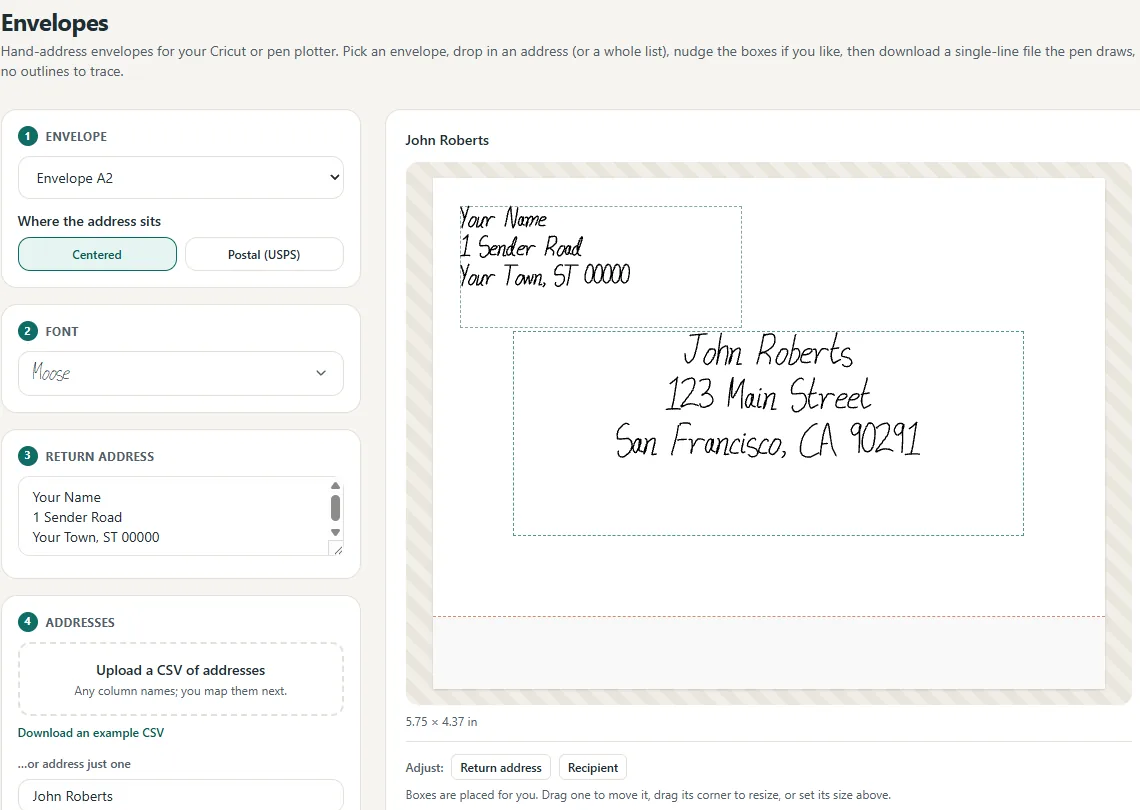
One address, or a thousand
Every CSV row becomes its own addressed envelope, ready to plot.
Map the columns once; the whole list is addressed.
Opens in Cricut at the right size.
The pen draws each address in one pass.
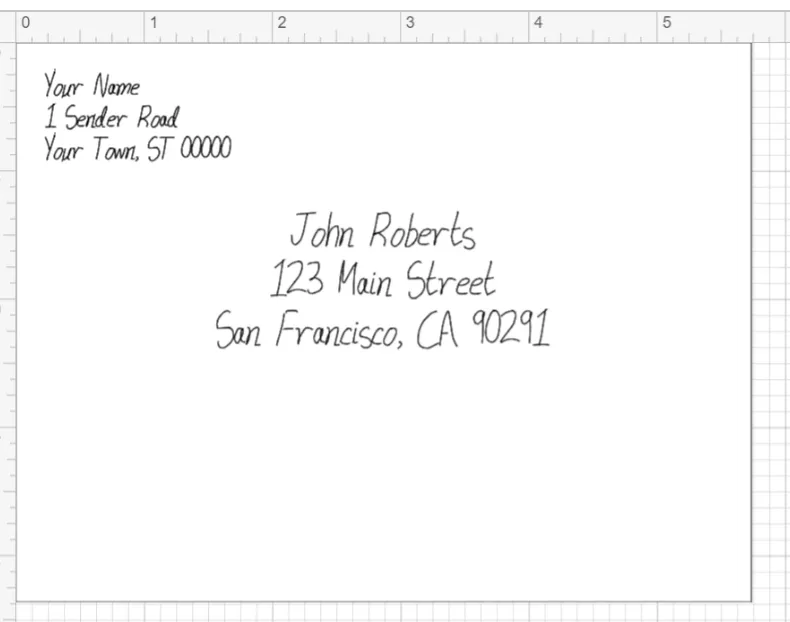
Opens in Cricut at the exact envelope size.
Questions, answered
Can I address a whole guest list at once?
Yes. Upload a CSV (a spreadsheet of addresses), map the columns once, and every row becomes its own addressed envelope, ready to draw. Great for wedding invitations.
What envelope sizes are supported?
All the common ones: A2, A6, A7 (for 5x7 invitations), A9, #10 business, #6¾, square 5.5 inch, DL, C5, and C6, plus a custom size for anything else.
Will it line up on my real envelopes?
You pick the envelope size and the file opens at that exact scale in Cricut Design Space, so the return and recipient addresses land where they should.
Can I include my return address?
Yes. The layout has a return-address block in the corner and the recipient centered, like a properly hand-addressed envelope, and the return address repeats on every envelope automatically.
Does it work with the Cricut pen?
Yes. The output is single-line, so the Cricut pen, or a pen plotter, writes each address smoothly instead of outlining hollow letters.
How many addresses can I do at once?
A whole list. Hundreds of rows become hundreds of ready-to-write envelopes in one upload; you just feed the machine envelopes.
Do I need nice handwriting?
No. You can use one of our handwriting fonts or make your own, then let the machine do the writing for every envelope, perfectly consistent.
Related tools and guides
Inner and outer envelope etiquette, timing, and the calligrapher cost math.
Address every envelope in a font of your own hand.
Pick a ready-made handwriting font instead.
Why the addresses write cleanly instead of bubbling.
The full pen setup, step by step.
Ready to make something?
Draw it, preview it, and keep it when you love it. Pro adds unlimited fonts, the full ready-made shelf, and clean SVG exports.
No credit card needed to start.