
Turn your handwriting into a font
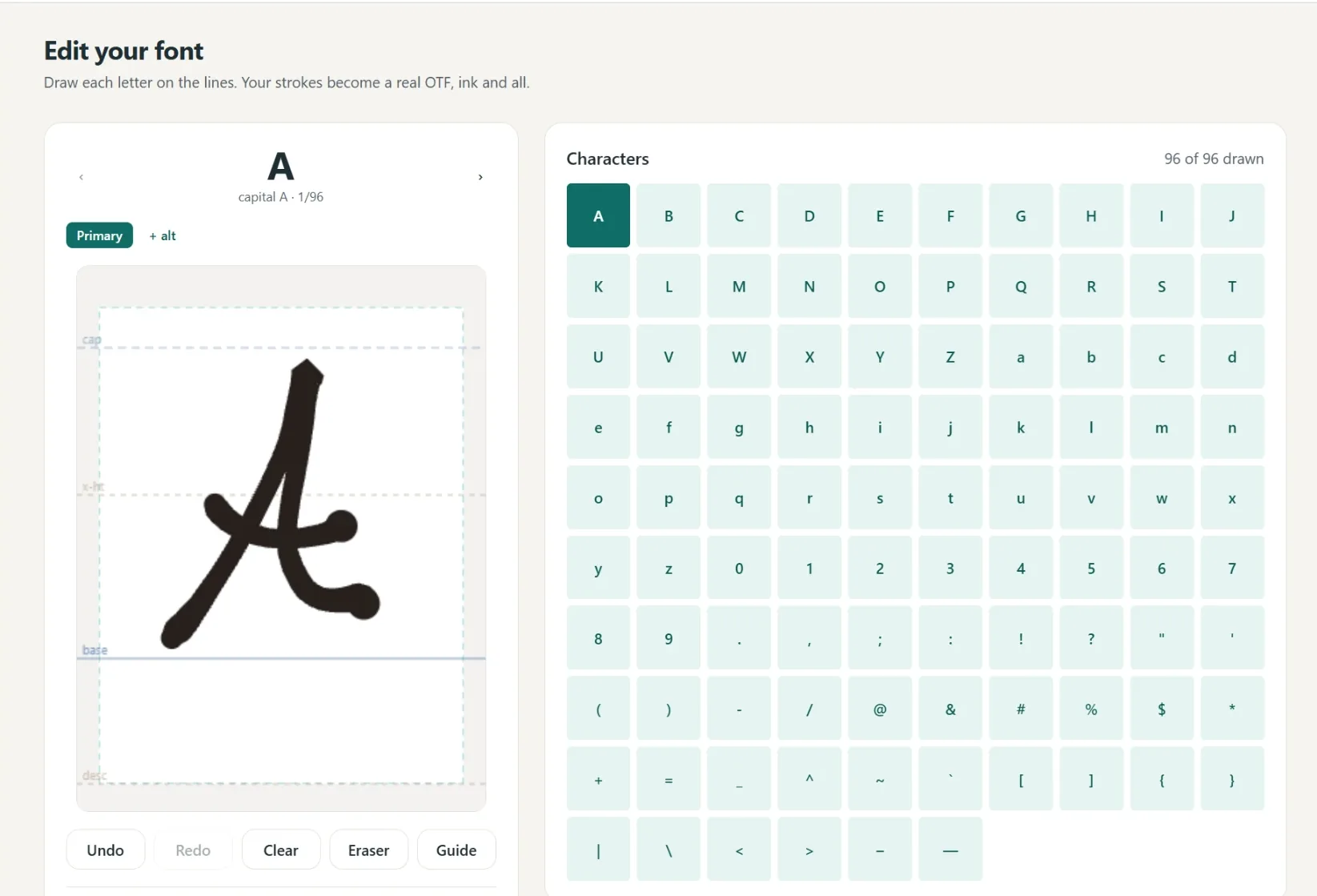
Draw each letter right in your browser, with no scanner and nothing to print. You get a real font in your own handwriting that installs like any other, plus a single-line version made for Cricut pens and pen plotters.
- Draw on screen, nothing to scan or upload
- Get a standard font plus a single-line plotter font
- Caps, lowercase, numbers, punctuation, and cursive joins
- Free to draw and preview, pay only to keep it
Free to try, no account needed. Pay only when you keep a font. Not ready to draw? Browse the free font library.
See your name in your handwriting
Nothing leaves this pageType a short word, then draw just those letters. It becomes type instantly.
How the handwriting font generator works
You write, we do the font engineering. Draw your letters on the canvas with a mouse, trackpad, tablet, or your finger on a phone, and the generator turns each stroke into a real vector glyph with proper spacing, a baseline, and all the invisible font plumbing handled for you. When you hit build, you download a normal OTF font file that installs on Windows or Mac like any font you have ever bought.
Most handwriting font tools stop there. Ours also builds a second font at the same time: a single-line version where every letter is one thin pen stroke instead of a filled shape. That is the version your Cricut pen, foil quill, or pen plotter needs to write the way you do, without hollow bubble letters.
No printer, no scanner, no template
Older tools make you print a paper template, fill in every box with a marker, and scan or photograph it back in, then clean up the speckles the camera added. Drawing directly on screen skips all of that: what you draw is exactly what lands in the font, and you can redraw any single letter until it feels right without redoing the whole sheet. If you are weighing the options, see how we compare to Calligraphr.
Fine-tune it like a real font
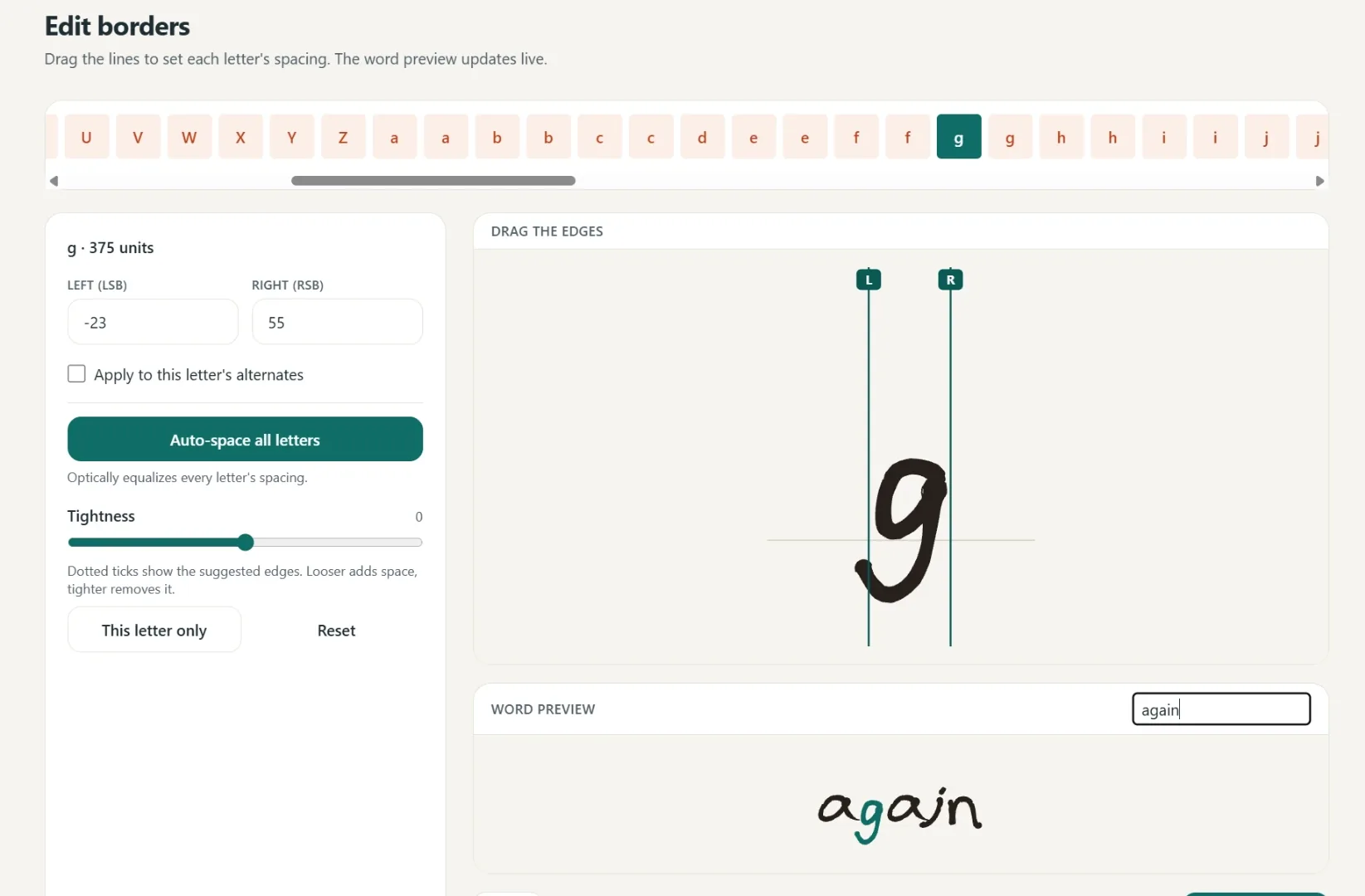
After the first build you can preview any words you like, switch between a fine and bold pen weight, and adjust the spacing around every letter with a simple borders editor. Spacing starts from an automatic pass that evens out the gaps, so the font looks polished before you touch anything. Everything is editable later, so your font can grow with your projects.
It is free to draw your whole alphabet and preview the result. You only pay when you want the clean, installable files, and the full step-by-step guide shows the whole flow before you start.
Turn your handwriting into a font
Write a few short lines and we split them into letters, or draw letter by letter. Either way you get two fonts: a standard one for type and a single-line one for your plotter.
A font in your own hand
- Write full lines, we split out every letter
- Caps, lowercase, numbers and punctuation
- Fine or Bold pen weight, previewed live
- Cursive alternates connect automatically
- 1
Write it
A few short lines, or letter by letter.
- 2
We build it
Strokes become a real font.
- 3
Preview
Test words and pen weight.
- 4
Borders
Auto-spaced, tweak by hand.
- 5
Download
Standard and single-line.
Spacing that starts smart
Borders are placed automatically, then you fine-tune any letter by hand.
One click equalizes every letter.
Drag the borders until it looks right.
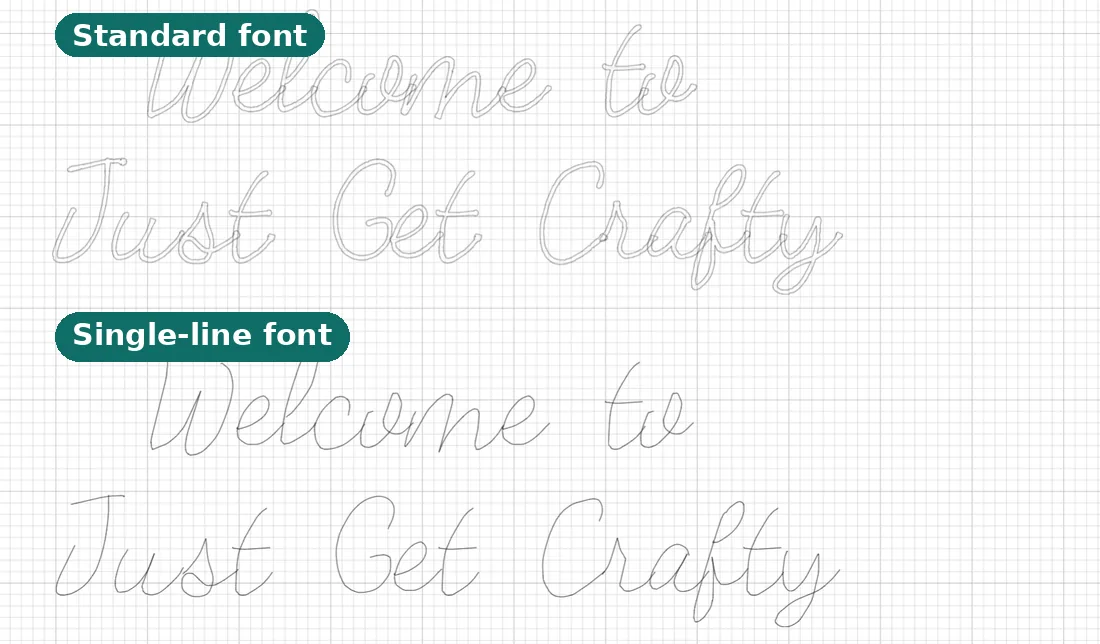
Two files, ready to make
Use it in Cricut or any app that takes fonts.
- Standard font
Full-outline, for everyday text.
- Single-line font
Plotter strokes, one clean pass.
- Yours to keep
Install it like any other font.
Questions, answered
How do I make a font of my handwriting?
Draw each letter on the guided canvas in your browser (caps, lowercase, numbers, punctuation), preview any words you like, fine-tune the spacing, and download. You get a real OTF font that installs on Windows or Mac like any other font.
Do I need a scanner or printer?
No. You draw each letter directly on a canvas in your browser. There is nothing to print, scan, or upload, which is what sets this apart from older "print a worksheet and scan it" font makers.
What files do I get?
Two fonts from one set of letters: a standard outline font for everyday text, and a single-line version whose letters are drawn as one continuous stroke for Cricut pens and pen plotters.
Is it really free?
Creating, drawing, and previewing a full font is free. You only pay when you want to download the clean, watermark-free font files. Pro is 6 dollars a month or 48 dollars a year.
Does it work on an iPad or iPhone?
Yes. It runs in the browser, so you can draw with an Apple Pencil on an iPad, your finger on a phone, or a mouse, trackpad, or drawing tablet on a computer. No app to install.
Can it make cursive that connects?
Yes. The font maker supports cursive alternates, so letters can join naturally when you type, the way connected handwriting flows.
How long does it take?
Most people draw a full alphabet in 20 to 40 minutes. The font builds in seconds, and you can come back anytime to redraw single letters or adjust spacing without starting over.
Can I use my font for selling things I make?
Yes. A Pro download includes a commercial license, so you can use your font on products and projects you sell.
Related tools and guides
How the whole flow works, from first letter to install.
Draw on screen instead of printing and scanning a template.
Why the second font you get makes Cricut pens write cleanly.
Not ready to draw? Download a ready-made font free.
Working from a photo of someone else's writing instead? Start here.
Turn real writing on paper into an engraving or cut file.
Ready to make something?
Draw it, preview it, and keep it when you love it. Pro adds unlimited fonts, the full ready-made shelf, and clean SVG exports.
No credit card needed to start.