
CNC engraving fonts, delivered as DXF
A V-bit or diamond drag tip wants one path down the middle of each stroke, and most CAM software cannot even select a single-line font in its text tool. The reliable route is importing the words as a DXF. Type your text below and download it, sized in real millimetres, free.
- True single-line DXF (R12, millimetres): one groove per stroke, the classic engraved look
- Imports into Fusion 360, VCarve, Aspire, Carbide Create, and drag-engraver software
- Pick the exact letter height in mm; SVG also available for Easel and lasers
- Use the free fonts, convert any font you own, or engrave your own handwriting
Free to try, no account needed. Pay only when you keep a font. Prefer a ready-made font? Download one free.
Type it, download the DXF, engrave it
Set in a real single-line font at the exact letter height you need. R12 DXF in millimetres, plus SVG if your software prefers it.
Want this in your own handwriting, or in a font you already own? Make a handwriting font or convert any font.
Engrave your actual handwriting
Draw your letters on screen, nothing to print or scan, and get a single-line font your V-bit or drag tip follows as one groove per stroke. A signature on a board, a note on a plaque, in the real hand.
- Draw with a mouse, a tablet, or your finger on a phone
- Two fonts back: a standard one, plus the single-line version for the pen
- Free to draw and preview, pay only when you keep it
See your name in your handwriting
Nothing leaves this pageType a short word, then draw just those letters. It becomes type instantly.
Why CNC text needs a file, not a font
CAM text tools are built around installed outline fonts, and an engrave toolpath on outline text traces around each letter: two walls and a fat groove where you wanted one elegant line. Fusion 360 users hit a second wall: even when a single-line font is installed, the sketch text tool often cannot use it properly, and the CAM side cannot select it at all. That is why experienced engravers stopped fighting the font system entirely. They bring the words in as geometry: a DXF whose lines simply are the toolpath.
That is what this page generates. Each stroke of every letter is one open polyline down its center, sized in real millimetres, so a 20 mm name arrives as a 20 mm name. Run a Trace or Engrave operation along the imported lines with a V-bit, ball nose, or diamond drag tip and you get the classic trophy-shop result in a single pass.
Which bit to cut it with
Single-line text is one centerline, so the bit decides what the groove actually looks like. Three choices cover almost everything:
- V-bit (60 or 90 degree). The classic engraved look. Groove width follows depth, so a 60 degree bit at 0.3 mm deep cuts roughly a 0.35 mm line and at 0.6 mm roughly 0.7 mm. Change the depth to change the weight of the lettering, which is the easiest way to make small text read.
- Drag or diamond engraver. A spring-loaded, non-spinning tip that scratches the surface. Perfect for anodized aluminium, brass tags, and coated metals, and it will not chatter on thin stock. Depth is set by spring pressure, not Z, so keep your Z conservative.
- Small ball nose or straight end mill. Gives a constant-width groove regardless of depth. Best when you want a uniform line weight, and the only sensible option if the piece will be paint filled.
Two things that catch people out. Feeds want to be gentler than a profile cut, because the tip of a V-bit is running at almost no surface speed and will rub and burn if you push it. And on any natural wood, run a shallow test on the same board first, since a groove that looks perfect on maple can disappear into the grain on oak.
Personal text is the whole point
Machine engraving gets meaningful when the letters are personal: a child's actual signature on a keepsake box, grandma's recipe in her own hand on a cutting board. Draw your letters once in the handwriting font generator and every future project can be engraved in that hand, or run any font you already own through the font to single line converter and download the words as DXF straight from it.
Import the words into your CAM software
The DXF is a standard R12 in millimetres, plain polylines on layer 0, which every CAM importer reads without drama.
| Software | How to engrave the text |
|---|---|
| Fusion 360 | Insert > Insert DXF into a sketch, then run an Engrave or Trace toolpath along the lines |
| VCarve / Aspire | Import Vectors, then a Profile toolpath On the line (or Quick Engrave) |
| Carbide Create | Import the DXF, assign a Contour toolpath with No Offset |
| Easel | Import the SVG instead (Easel prefers SVG) and set the cut to On path |
| Drag / diamond engravers | Import DXF or SVG and run the path directly; single-line text is the native workload |
Turn your handwriting into a font
Write a few short lines and we split them into letters, or draw letter by letter. Either way you get two fonts: a standard one for type and a single-line one for your plotter.
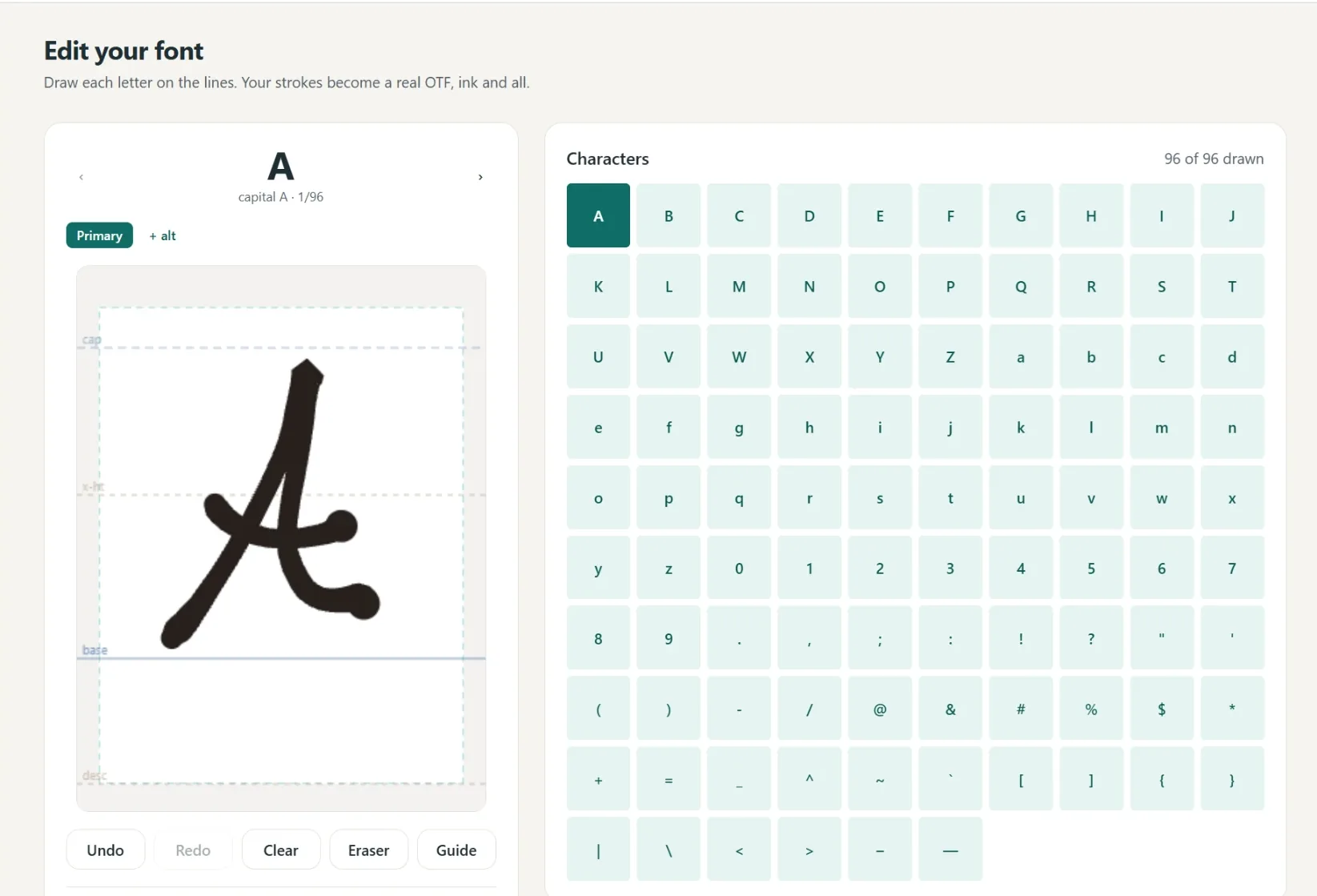
A font in your own hand
- Write full lines, we split out every letter
- Caps, lowercase, numbers and punctuation
- Fine or Bold pen weight, previewed live
- Cursive alternates connect automatically
- 1
Write it
A few short lines, or letter by letter.
- 2
We build it
Strokes become a real font.
- 3
Preview
Test words and pen weight.
- 4
Borders
Auto-spaced, tweak by hand.
- 5
Download
Standard and single-line.
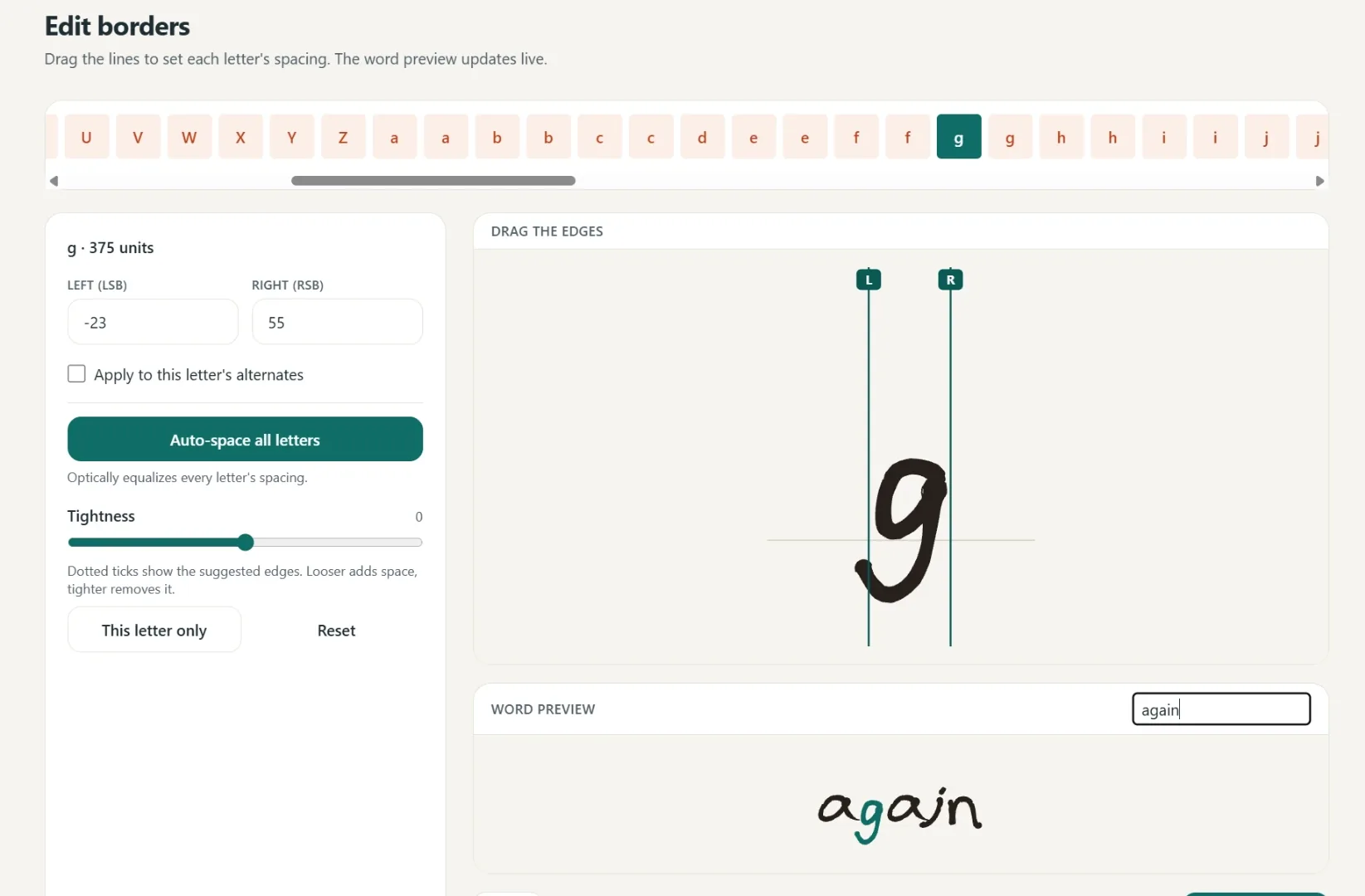
Spacing that starts smart
Borders are placed automatically, then you fine-tune any letter by hand.
One click equalizes every letter.
Drag the borders until it looks right.
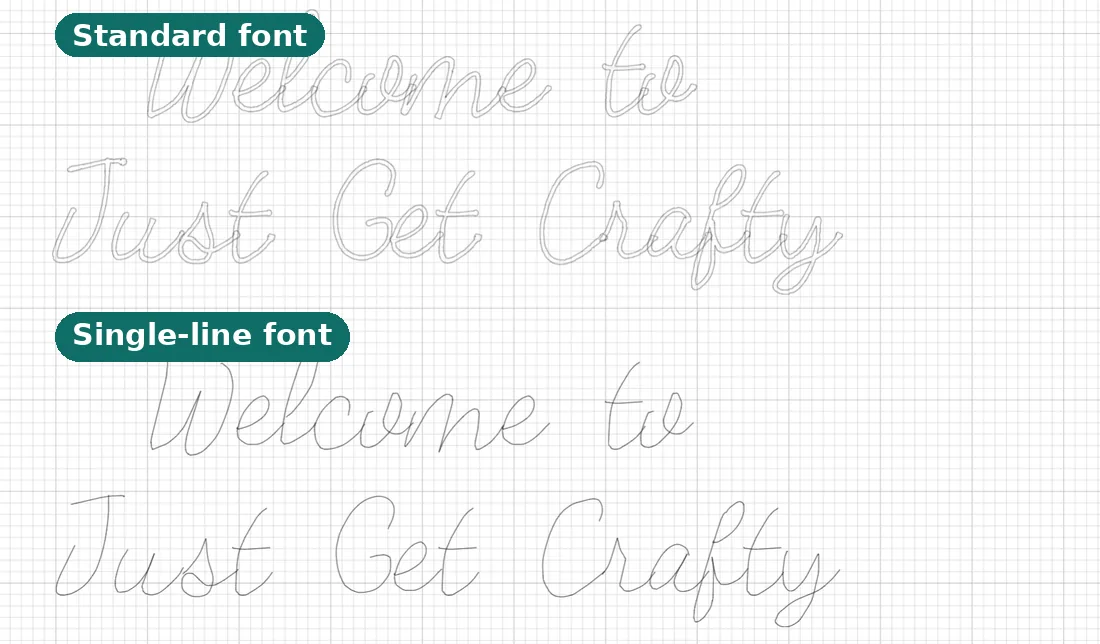
Two files, ready to make
Use it in Cricut or any app that takes fonts.
- Standard font
Full-outline, for everyday text.
- Single-line font
Plotter strokes, one clean pass.
- Yours to keep
Install it like any other font.
Questions, answered
What font should I use for CNC engraving?
A single-line (open path) font, so a V-bit or drag tip cuts one groove down the middle of each stroke. Normal fonts are outlines, so the machine traces two walls around every stroke. Since most CAM text tools cannot select single-line fonts anyway, the practical route is importing your words as a DXF, which is what this page generates.
How do I engrave single-line text in Fusion 360?
Fusion's sketch text cannot use open-path fonts, and its CAM cannot select them. Instead, use Insert > Insert DXF to bring in the words from this page, then run an Engrave or Trace toolpath along the imported lines with your V-bit or drag tip.
What DXF format do the files use?
DXF R12 with plain polylines on layer 0, authored in millimetres. R12 is the most widely read dialect, so VCarve, Aspire, Fusion 360, Carbide Create, and drag-engraver software import it without conversion. Set your importer's units to mm and the text arrives at the exact letter height you picked.
Does this work with a diamond drag engraver?
Perfectly. Drag engraving has no spinning tool, it literally draws, so single-line text is its native workload. Import the DXF or SVG and run the paths directly.
Can I engrave someone's actual handwriting?
Yes, and it is the best use of the whole idea. Draw the letters once in the handwriting font generator (or convert a font you own), type any message, and download it as DXF. A signature on a keepsake box or a recipe in grandma's hand engraves exactly like any other path.
Is the download really free?
Text set in the free house fonts downloads free with no account, as SVG or DXF. Converting your own font or handwriting to get files in that font is part of Pro.
Related tools and guides
Ready to make something?
Draw it, preview it, and keep it when you love it. Pro adds unlimited fonts, the full ready-made shelf, and clean SVG exports.
No credit card needed to start.